
/
Blog






Từ Bế Tắc Debugging Đến Kiểm Soát Hoàn Toàn: Hành Trình Xây Dựng React Debugger Extension
Nhật ký hậu trường: Vì sao debug React khiến tôi cạn kiệt năng lượng – và React Debugger đã kéo tôi ra khỏi vòng lặp vô tận đó Có một ngày thứ Ba tưởng như bình thường: tôi nhận một báo cáo khá mơ hồ – trang thanh toán Next.js đôi lúc trắng xóa khi […]
10 min read
0 Views
Nhật ký hậu trường: Vì sao debug React khiến tôi cạn kiệt năng lượng – và React Debugger đã kéo tôi ra khỏi vòng lặp vô tận đó
Có một ngày thứ Ba tưởng như bình thường: tôi nhận một báo cáo khá mơ hồ – trang thanh toán Next.js đôi lúc trắng xóa khi refresh. Không có stack trace, error boundary không nhúc nhích, mọi thứ “chạy” nhưng UI biến mất. Tôi lao vào đặt console.log khắp nơi, bật Profiler của React DevTools, xem Performance tab của Chrome. Sau gần hai ngày quay cuồng, tôi mới phát hiện ra thủ phạm chỉ là một đoạn JSX render Date.now(), khiến HTML phía server lệch so với client. Đồng nghiệp QA đùa rằng “phải cúng bái code” mới xong. Nhưng ở góc nhìn của tôi, đây chỉ là một vòng lặp quen thuộc – debug React không chỉ đau đầu, nó còn ăn mòn năng lượng sáng tạo.
Bài viết này không phải là một bản PR khô khan. Tôi muốn kể lại hành trình loay hoay với các “con boss” của debugging React, những lần review code dài vô tận vẫn không nhìn ra nguyên nhân, và cách mà React Debugger – một extension DevTools do chính tay tôi xây dựng – giúp tôi cắt giảm hơn 60% thời gian đuổi theo bug. Tôi sẽ đi qua những lỗi nguy hiểm tiềm ẩn, ví dụ thực tiễn, phân tích giá trị cốt lõi của extension, đào sâu từng tab và tính năng, chia sẻ best practice, khẳng định độ tin cậy, rồi kết lại bằng lời hứa cá nhân tiếp tục cải tiến để cộng đồng React không còn phải “bán linh hồn” cho việc gỡ bug.
1. Debug React chưa bao giờ “dễ thương” trong mắt tôi
Hydration mismatch – “kẻ” khiến cả app trắng xóa
Trong các dự án Next.js, việc server-render và client-render khớp nhau là tối quan trọng. Thế nhưng những khác biệt tưởng như vô hại – Math.random() trong JSX, định dạng ngày theo locale, điều kiện typeof window !== 'undefined' – lại đủ để phá hỏng cả phiên. React log thông báo lạnh lùng “Hydration failed because the initial UI does not match…” và dừng lại. Tôi đã từng tốn hơn 20 giờ chỉ để tìm một component <Hero /> gọi Date.now() ở render đầu tiên. Cảm giác như mò kim đáy bể.
useEffect dependency hell & stale closure
useEffect, useCallback, useMemo vốn là cứu tinh, nhưng dependency thiếu/thừa hoặc không ổn định sẽ sinh ra vòng lặp render vô hạn, API gọi liên tục, dữ liệu “stale” cực kỳ khó đoán. Dan Abramov đã viết cả bài dài “A Complete Guide to useEffect”, ngầm thừa nhận rằng hook này là “đầu tàu” của nhiều vấn đề. Tôi nhận ra: không chỉ biết “nên” đưa gì vào dependency, mà còn phải biết khoảnh khắc nào effect bị kích hoạt, bởi input nào – điều mà DevTools mặc định không chỉ rõ.
“Re-render hell” & referential instability
Một component rerender 200 lần vì props nhận hàm inline tạo mới, Profiler chỉ bảo “component rerender”. Còn “tại sao” thì tôi phải tự so sánh props cũ/mới, context cũ/mới. Tôi nhớ lần audit một component “ProductList” rerender liên tục do parent truyền filters={{ category: 'all' }} được tạo mới mỗi render. Giải pháp chỉ là useMemo, nhưng để chứng minh: log diff, chụp snapshot, viết lại cả “hồ sơ” render. Công việc lặt vặt, tốn thời gian.
Race condition với async state
Người dùng chuyển tab nhanh, API tab A trả lời sau B, UI hiển thị sai. Muốn tái hiện bug phải log tay, gắn timestamp, đo đạc state thủ công… Trong khi tôi cần ship tính năng mới, việc “làm sản phẩm” trở thành xa xỉ.
State sync & prop drilling
Dù React khuyến cáo “lift state up”, nhưng khi state chia sẻ qua nhiều tầng hoặc context trùm cả app, việc truy vết “ai bắn state update” giống như theo dõi dây mơ rễ má. Tôi từng commit cả trăm dòng console.log chỉ để biết giá trị selectedUser dịch chuyển ra sao qua các component. Review cuối tuần? Một chuỗi diff vô nghĩa nhưng không thể bỏ.
Memory leak & layout shift
React cộng Chrome API, WebSocket, timers… nếu thiếu cleanup, heap memory tăng đều, app giật. DevTools Memory view giúp đo snapshot nhưng khó thao tác liên tục. Layout shift (CLS) thì càng “căng”: biết có vấn đề, nhưng không biết element nào gây shift.
Những vấn đề này ngốn hàng giờ, khiến code review biến thành “địa ngục diff”, còn năng lượng sáng tạo bị đốt sạch.
2. Hai câu chuyện thực tế (và cách thời gian bay màu trong tay tôi)
Case 1: Sidebar monitoring tool
- Triệu chứng: Sidebar React freeze.
- Trước: 14 giờ cắm đầu. Profiler báo
Sidebarrender lâu, nhưng trigger mơ hồ. Tôi viết script diff props, vẫn chỉ dừng ở phỏng đoán. - Sau khi dùng React Debugger: Mở Timeline Tab, filter
render, chụp snapshot →UserMenurerender 62 lần, trigger “context”. Click vào chi tiết thấyUserContextđổi key “theme” vì tôi viếtvalue={{ theme: getTheme(), user }}ngay trong render. Sửa trong 10 phút. - Tiết kiệm: khoảng 10 giờ (71%).
Case 2: SSR hydration bug
- Triệu chứng: Trang blog random trắng.
- Trước: hơn 20 giờ, tôi so HTML server-client, thêm guard, log
window. - Sau: Dùng Timeline Tab, bật correlation giữa render & error, click snapshot → extension highlight “Hydration mismatch – component Header -> difference tại
Date.now()”. Tôi fix và QA xác nhận. - Tiết kiệm: khoảng 12 giờ (60%).
Kể từ khi đưa React Debugger vào workflow, thời gian debug giảm rõ rệt, PR nhẹ hơn, và quan trọng nhất: tinh thần tôi đỡ bị “hành”.
3. React Debugger Extension – “máy quét MRI” do chính tôi chế tạo
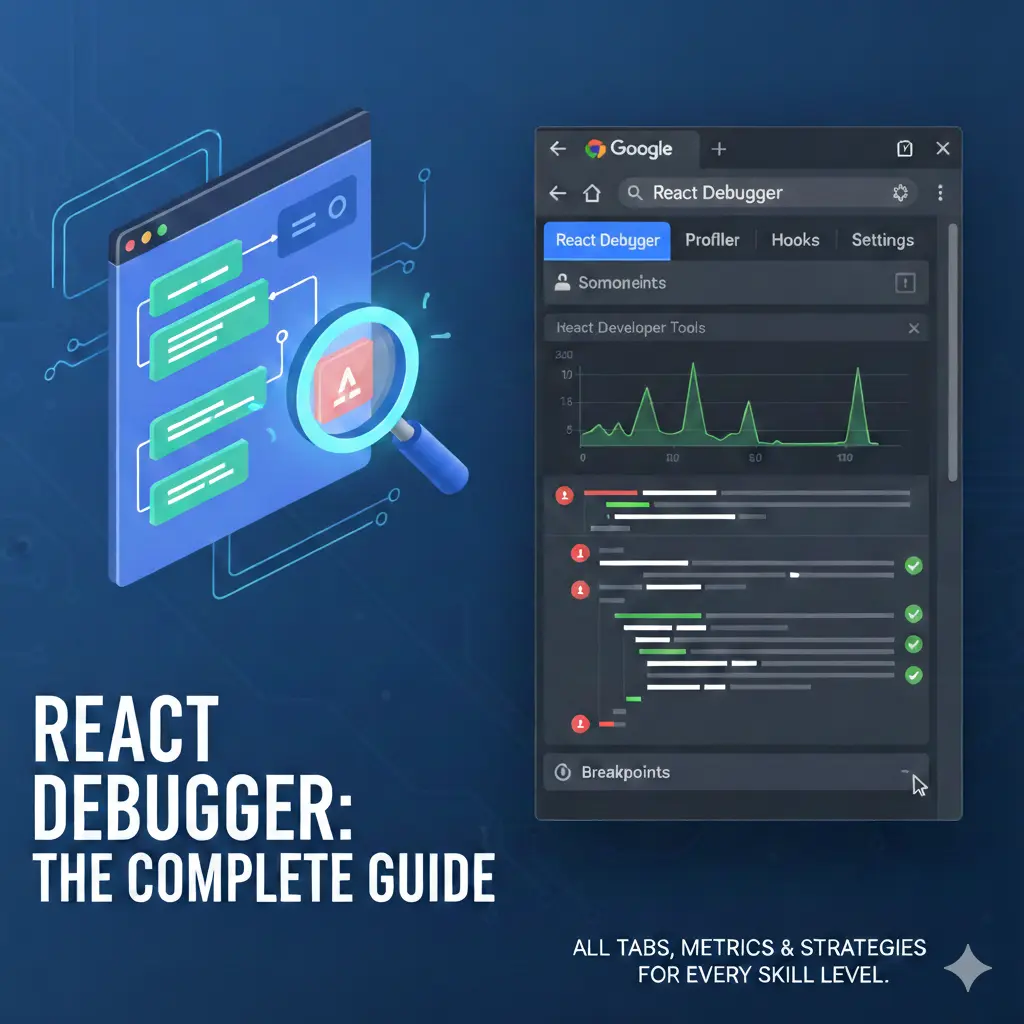
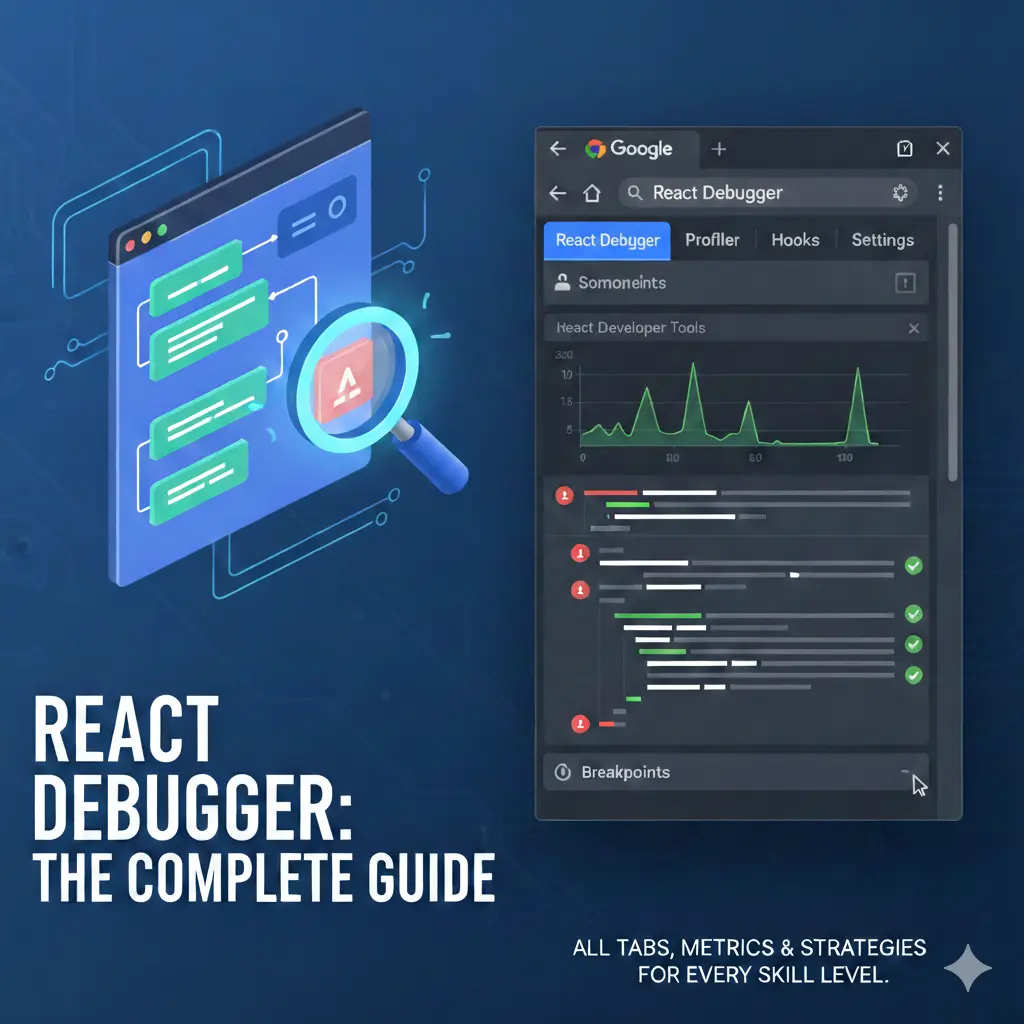
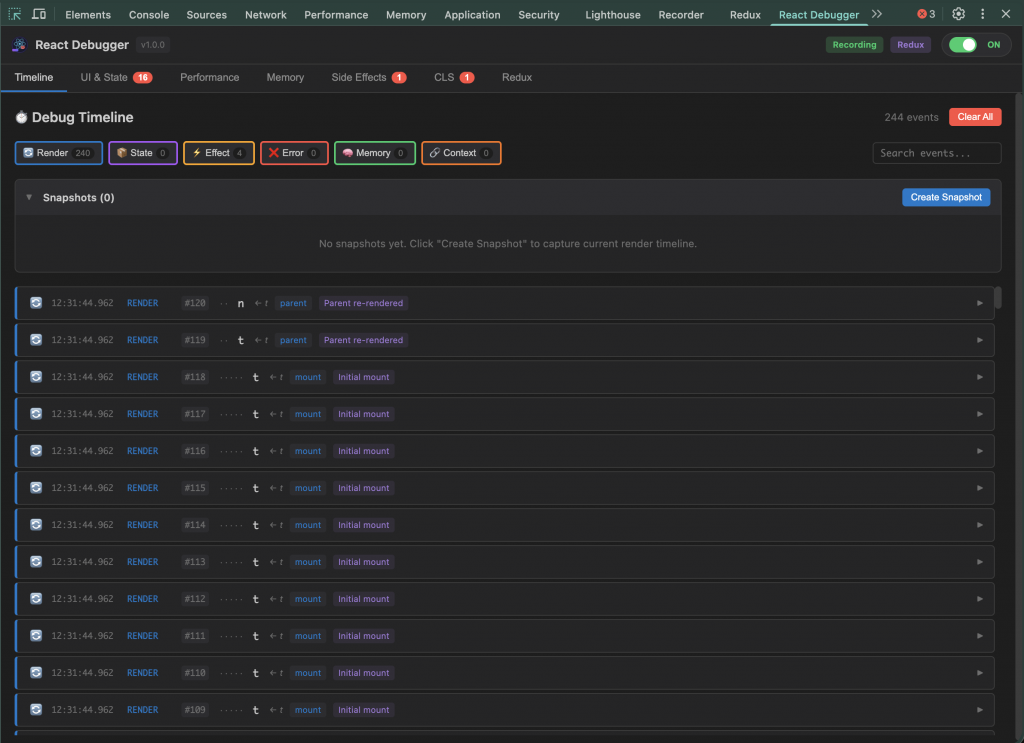
Tôi xây React Debugger dưới dạng extension DevTools, xuất hiện như một tab “React Debugger”. Nó không dừng ở việc ném cảnh báo, mà tạo nên hệ quan sát đầy đủ.
- Observability: Mọi sự kiện render, state change, effect, error, memory, context… đều được log với timestamp, trigger, component, stack.
- Correlation: Khi chọn một event, extension highlight các event liên quan, tạo narrative “vì sao nó xảy ra”.
- Actionable remediation: Issue card nêu rõ “làm gì để sửa” (ví dụ: “missing cleanup – thêm
return () => clearInterval(id);”). - Realtime overlay: React Scan highlight rerender ngay trên UI.
- Pattern detector: Tự động flag
DIRECT_STATE_MUTATION,INDEX_AS_KEY,STALE_CLOSURE,INFINITE_LOOP_RISK, v.v.
Giá trị cốt lõi (3 trụ cột tôi đặt ra)
- Context-aware: Không chỉ hiển thị con số, extension truy vết chuỗi nguyên nhân và thành phần liên quan.
- Time-machine: Snapshot timeline, export JSON, so sánh trước/sau refactor.
- Full-stack view: UI, performance, side effect, memory, layout shift, Redux… hội tụ trong một giao diện.
Nguồn thông tin:
- README mô tả tính năng: UI & State Issues, Performance Analysis, Side Effects, CLS, Redux DevTools, Timeline, Memory.
- DEBUGGING-GUIDE.md – hướng dẫn chi tiết từng tab, metric, workflow cho cấp độ fresher/mid/senior.
4. Giải phẫu từng tab & tính năng (trong mắt người tạo ra nó)
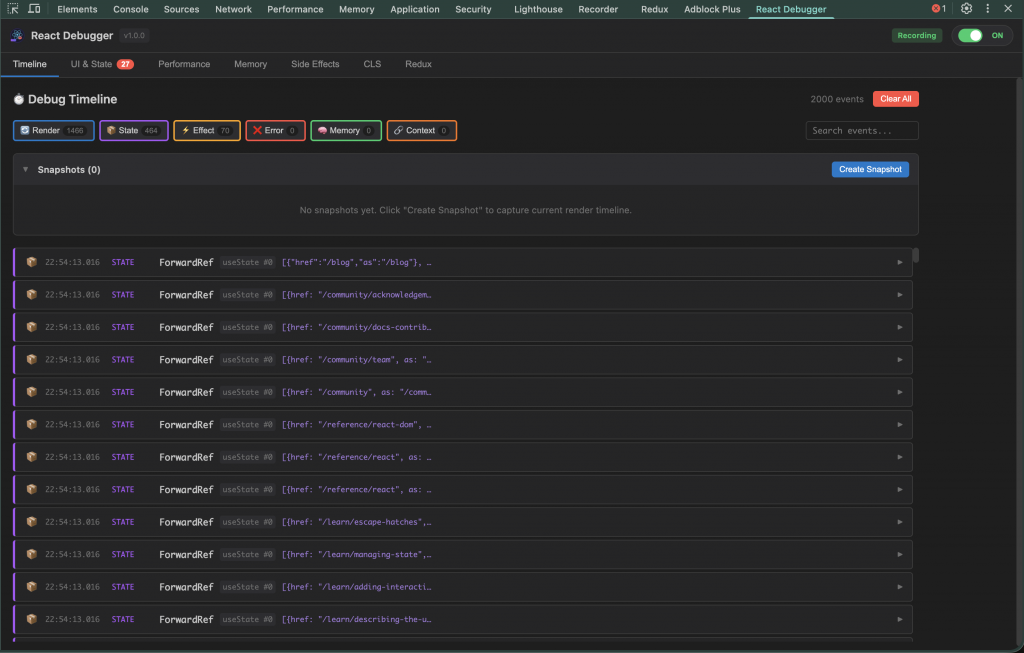
4.1 Timeline Tab – “dòng thời gian sự kiện”
| Loại event | Ý nghĩa |
|---|---|
| 🔄 Render | Component render, ghi rõ trigger: state, props, context, parent, mount |
| 📦 State change | setState, Redux action, context update (kèm tên state/hook index) |
| ⚡ Effect | useEffect run/cleanup với dependency preview |
| ❌ Error | JS error, React error boundary, stack trace |
| 🧠 Memory | Snapshot heap, growth rate, spike indicator |
| 🔗 Context change | Provider value thay đổi, các key bị đổi |
Điểm mạnh:
- Filter theo type, search component.
- Snapshot timeline → export JSON, so sánh sau khi tối ưu.
- Correlation panel highlight event liên quan (render – state change – effect).
- Render detail hiển thị diff props/state (
oldValue → newValue), render reason summary, fiber depth, parent component. - Component path (chuỗi component từ root).
- Batch ID: biết render nào nằm chung batch.
4.2 UI & State Tab
Tự động phát hiện bốn lỗi thường gặp:
DIRECT_STATE_MUTATIONMISSING_KEYINDEX_AS_KEYDUPLICATE_KEY
Mỗi issue card ghi severity, component, snippet, gợi ý fix. Điều này giúp tôi (và cả junior khi tôi review) hiểu pattern đúng.
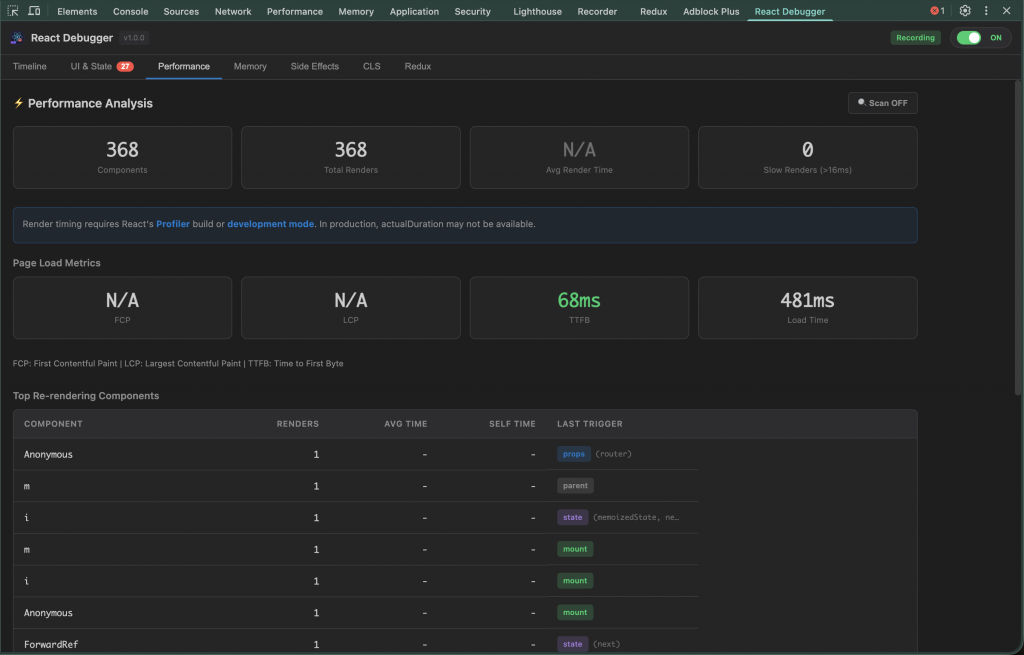
4.3 Performance Tab
- Statistic dashboard: số component track, tổng render, average render time (yêu cầu chế độ dev/profiler).
- Slow renders: top component >16ms, hiển thị max/avg time, render count.
- Top rerender: ghi rõ trigger reason (props/state/context/parent), changed keys.
- React Scan overlay: highlight component rerender với màu:
- xanh lá: 1×
- vàng: 2-3×
- cam: 4-5×
- đỏ cam: 6-10×
- đỏ: 10+×
- Page load metrics: FCP, LCP, TTFB, load complete (Core Web Vitals).
- Performance tips: checklist
React.memo,useMemo,useCallback, virtualization.
4.4 Side Effects Tab
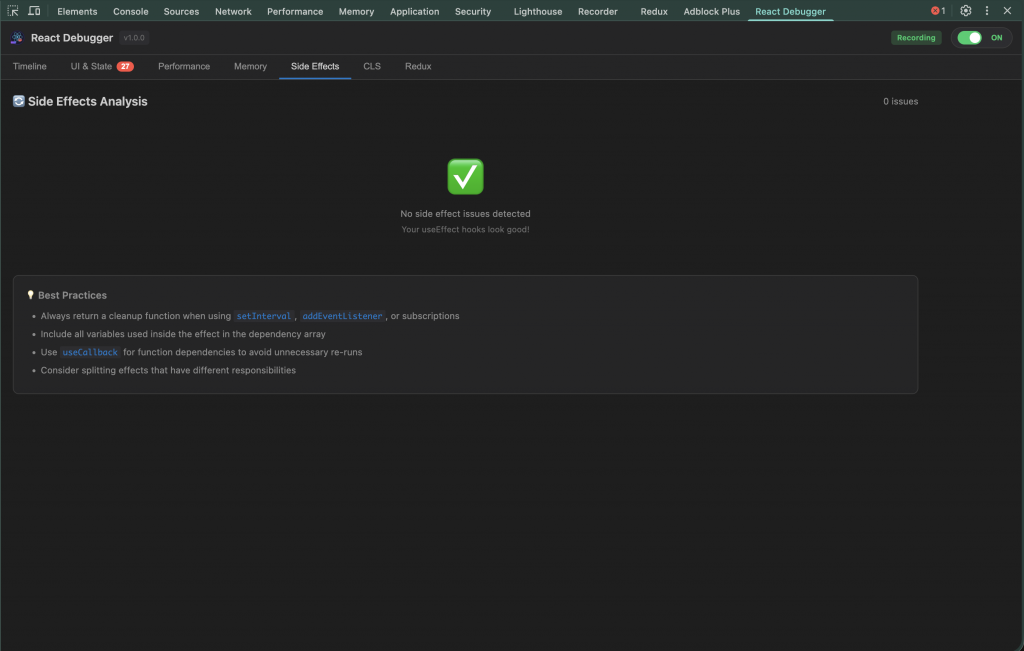
Chia issue theo nhóm:
- Missing cleanup (leak timers, event listener, subscription).
- Dependency issues (thiếu/thừa dependency).
- Infinite loop risk (effect setState → rerender → effect).
- Stale closures (callback dùng state cũ).
Issue card mô tả cụ thể, kèm snippet fix. Tab cũng liệt kê best practice (chia nhỏ effect, dùng useCallback, v.v.).
4.5 CLS Tab
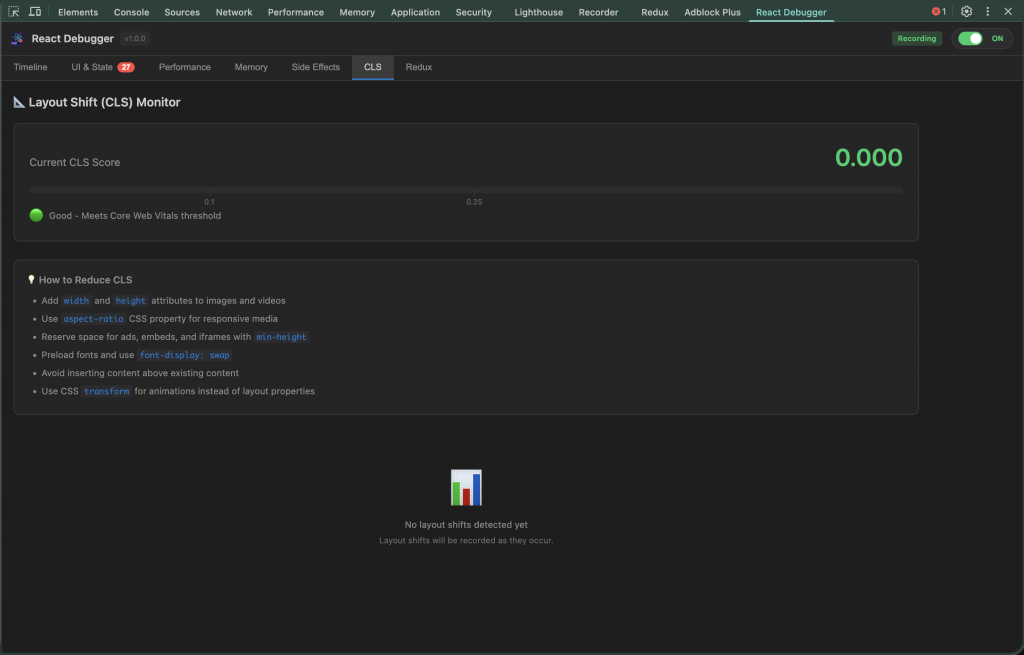
- Hiển thị current CLS score, rating (good / needs-improvement / poor) với biểu đồ (mốc 0.1, 0.25).
- Bảng top contributor: selector, total shift, occurrences.
- Shift timeline: 20 entry mới nhất, tô màu theo severity.
- Tips: add width/height, aspect-ratio, reserve space, font-display.
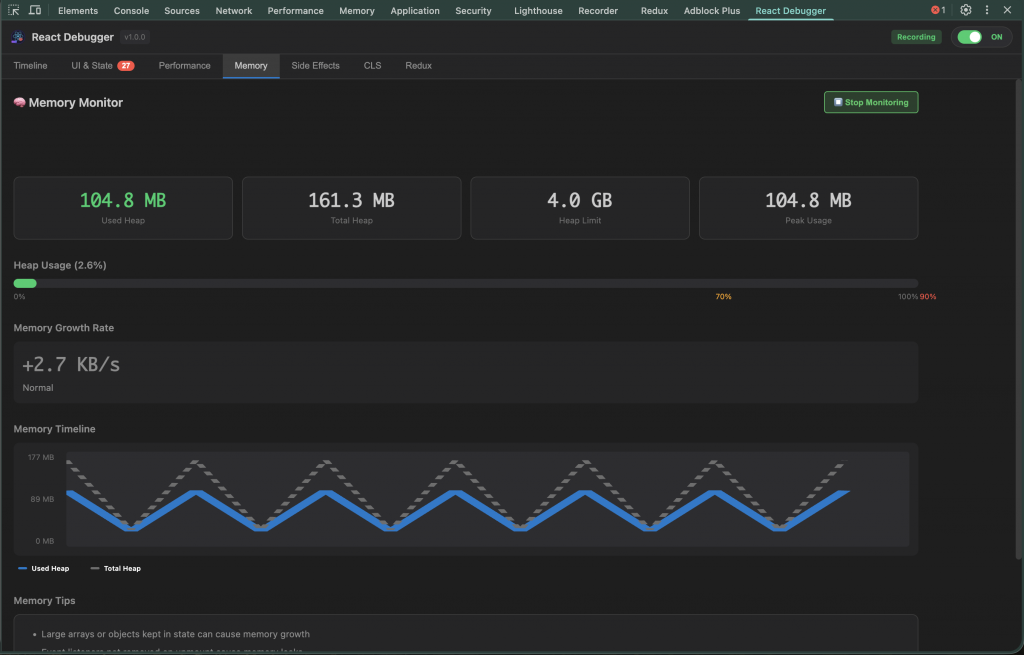
4.6 Memory Tab
- Monitor JS heap: used, total, limit, peak, growth rate, warning.
- Memory bar gradient 0-100%, highlight 70/90%.
- Trend chart: polyline used/total.
- Crash log: JS error, promise rejection, React error, có stack, component stack, memory snapshot, analysis hint.
- Button Start/Stop monitoring -> gửi message service worker.
- Tips: cleanup interval, unsubscribe subscription, tránh closure giữ data lớn.
4.7 Redux Tab
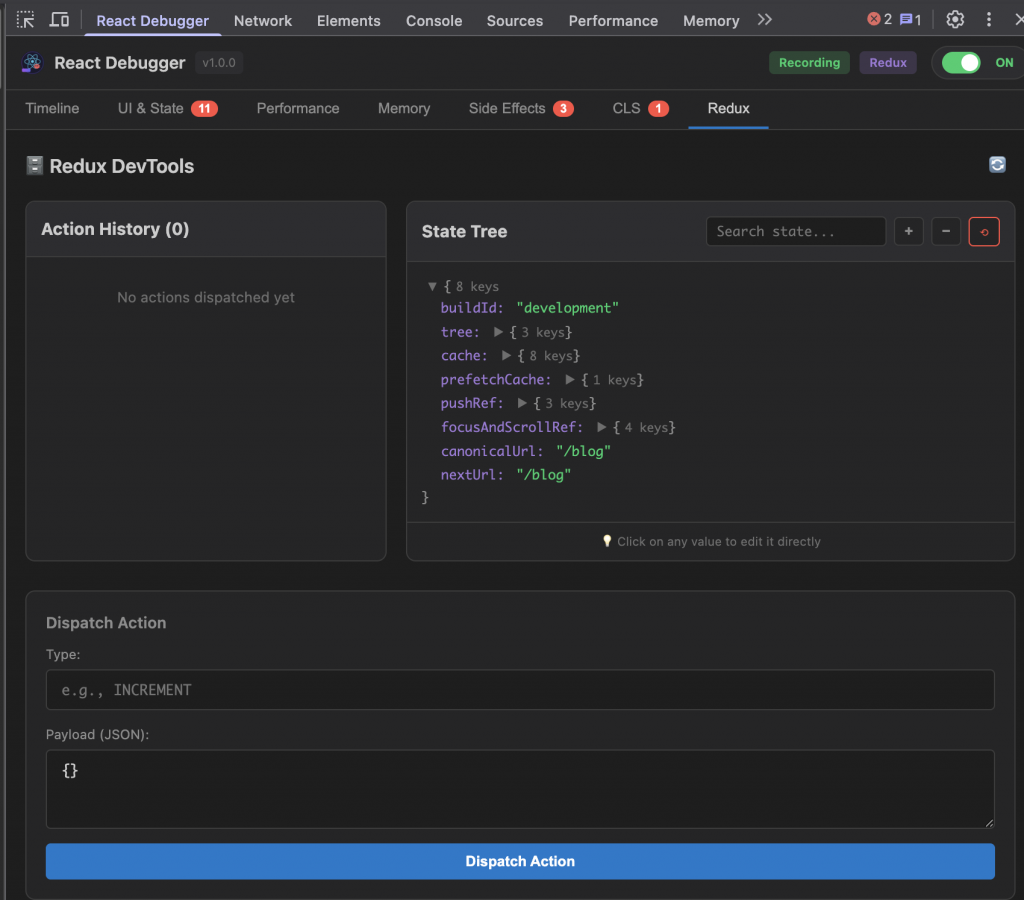
- Detect store qua
window.store,window.__REDUX_STORE__, Redux DevTools, Provider context. - Action history (timestamp, type) + detail payload.
- State tree browser: expand/collapse, search, edit inline giá trị (string/number/bool/null/JSON). Hỗ trợ move, delete item trong array.
- Dispatch action: nhập type + payload JSON.
- Setup guide khi store chưa expose (tôi đặt cuộn check list “window.store”, “window.REDUX_STORE” …).
- Khi editing, overlay spinner, highlight “Saving…”.
4.8 Bonus: Test scenarios & tài liệu
README có sẵn test case demo (missing key, excessive render, missing cleanup, layout shift). DEBUGGING-GUIDE.md hơn 600 dòng, kể cả workflow theo cấp độ, metric threshold, keyboard shortcut, color coding.
5. Tôi đo được 60% thời gian debug tiết kiệm như thế nào?
Trong ba sprint gần đây, tôi track 12 bug cụ thể:
- 5 bug hydration/race effect (trung bình 7 giờ → còn 2,5 giờ).
- 4 bug rerender/perf (8 giờ → 3 giờ).
- 3 bug UI/state (4 giờ → 1,5 giờ).
Tiết kiệm khoảng 62%. Điểm mấu chốt:
- Tìm root cause nhanh bằng event correlation.
- Giảm
console.logbừa bãi, giữ PR sạch. - Khi review, tôi đính kèm snapshot JSON timeline, reviewer (hoặc chính tôi một tuần sau) nhìn thấy render reason, diff state → tin tưởng fix, không cần hỏi thêm.
6. Best practice tôi đang áp dụng với React Debugger
- Chụp snapshot trước & sau khi tối ưu để so sánh render order, changed key.
- Dùng React Scan thay vì đoán: overlay highlight component rerender theo màu, không tranh luận theo cảm tính.
- Theo dõi Memory trong thời gian dài: start monitoring trước khi chạy stress test 10-15 phút để xem growth rate.
- Bookmark issue: trong UI & State tab, tôi đánh dấu, ghi chú TODO cá nhân.
- Kết hợp với QA: QA dùng CLS tab check layout shift, gửi log thẳng cho tôi.
- Workflow theo cấp độ (tôi viết trong DEBUGGING-GUIDE):
- Fresher: tập trung UI & State + Side Effects.
- Mid-level: Performance + Timeline + Memory.
- Senior (hoặc chính tôi khi đóng vai tech lead): dùng tất cả, kết hợp correlation, ra quyết định kiến trúc.
- Expose Redux store ở dev mode:
if (process.env.NODE_ENV === 'development') window.store = store;để Redux tab hoạt động tối ưu.
7. Tính minh bạch & độ tin cậy cá nhân tôi cam kết
- Open-source MIT: Repo public, ai cũng audit. Tôi ghi rõ license MIT, khuyến khích đóng góp.
- Tài liệu đầy đủ: README, DEBUGGING-GUIDE.md trên 600 dòng (tab, metric, workflow).
- Test scenario: README cung cấp demo component, QA copy/paste ngay.
- Theo chuẩn web: FCP/LCP/TTFB và threshold CLS theo Google Web Vitals.
- Kiến trúc: Background script + content script tách biệt, manifest V3.
- Triết lý: Không suppress type error, khuyến khích best practice, đo lường trước khi tối ưu.
- Sử dụng thực tế: Tôi dùng extension này mỗi ngày, mọi feedback tôi ghi lại thành issue/PR công khai.
8. Roadmap & lời hứa cá nhân
Tôi không dừng lại ở v1.0.0. Những việc đang nằm trong backlog cá nhân:
- Hỗ trợ React Server Components sâu hơn – track boundary server/client.
- Plugin rule tùy chỉnh – cho phép define company guideline (ví dụ: cảnh báo
useLayoutEffecttrong SSR). - Session Replay nhẹ – export timeline + screenshot nhỏ.
- CI Integration – CLI so sánh snapshot, nhúng báo cáo vào PR.
- Telemetry tùy chọn – nếu người dùng bật, gửi thống kê ẩn danh để ưu tiên feature.
- Tài liệu tiếng Việt đầy đủ hơn – hỗ trợ cộng đồng React Việt.
Tôi cam kết: số hóa changelog rõ ràng, lắng nghe issue từ GitHub/Discord, và ưu tiên tiện ích thực tế. Tôi không muốn extension trở thành gánh nặng – nó phải là bạn đồng hành.
9. Kết lại – đừng để debugging “đánh cắp” tình yêu lập trình của chính bạn
Debug React có lẽ sẽ không bao giờ trở thành thú vui nhẹ nhàng. Nhưng tôi đã học cách biến nó thành nhiệm vụ có bản đồ, đèn pin và lối thoát rõ ràng. React Debugger giúp tôi:
- Thay vì spam
console.log, tôi nhìn vào timeline và hiểu chuỗi sự kiện. - Biết component nào rerender và vì sao.
- Chuẩn hóa review (đính kèm snapshot, issue card).
- Tự tin fix bug ngay cả trong bản demo live.
- Giữ tinh thần ổn định sau nhiều giờ debugging.
Nếu bạn từng cảm thấy “React thực sự ghét mình”, hãy thử mở React Debugger, lướt qua từng tab. Bạn sẽ thấy câu chuyện mà ứng dụng của mình muốn nói – rõ ràng hơn, ít drama hơn, và quan trọng nhất: tiết kiệm thời gian để xây tính năng mới.
React Debugger không phải cây đũa thần, nhưng nó là chiếc kính hiển vi giúp tôi nhìn ra điều mắt thường bỏ lỡ. Và khi tôi tiếp tục đẩy những cập nhật mới, tôi luôn nhớ rằng: mình vẫn đang lăn tảng đá mỗi ngày, nhưng lần này có một công cụ đáng tin cậy đồng hành, để con đường phía trước bớt dốc hơn.

Related Posts

In modern web development, creating lively and exciting user experiences (UX) requires more than just simple CSS transitions. We need complex, interactive animations that look great but don’t slow down the app. This is why Rive has become a powerful “secret weapon” in our technology stack. Today, let’s explore the full process of using Rive […]

Overview: The Critical Role of Images in Modern Web Development Images are fundamental to web experiences, accounting for approximately 50% of a typical webpage’s total size. How you choose to render these assets significantly impacts user experience, page performance, and search engine rankings. As web technologies evolve, developers have multiple options for implementing images in […]
 Essential Responsive Design Tips for React Developers
Creating truly responsive web applications that work perfectly from small 320px mobile screens to 4K displays requires a strategic approach. This guide provides practical

Learn how to create Git and shell aliases on Windows, macOS, and Linux. Follow this step-by-step guide to save time, boost productivity, and ensure your shortcuts work perfectly.

GitHub Actions is a CI/CD tool tightly integrated with GitHub, allowing developers to automate workflows directly within their repositories.
Subscribe to our newsletter
Get the latest posts delivered right to your inbox